
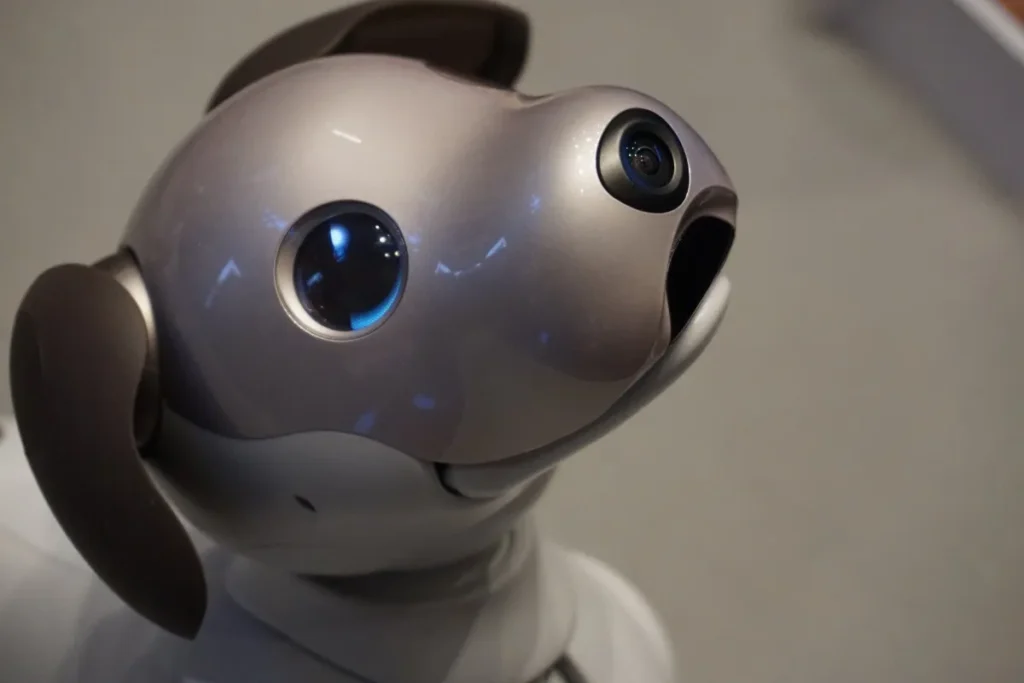
Everything you need to know about Sony’s revolutionary robotic companion – from features and setup to advanced tips and tricks.
🤖 What is Sony AIBO?
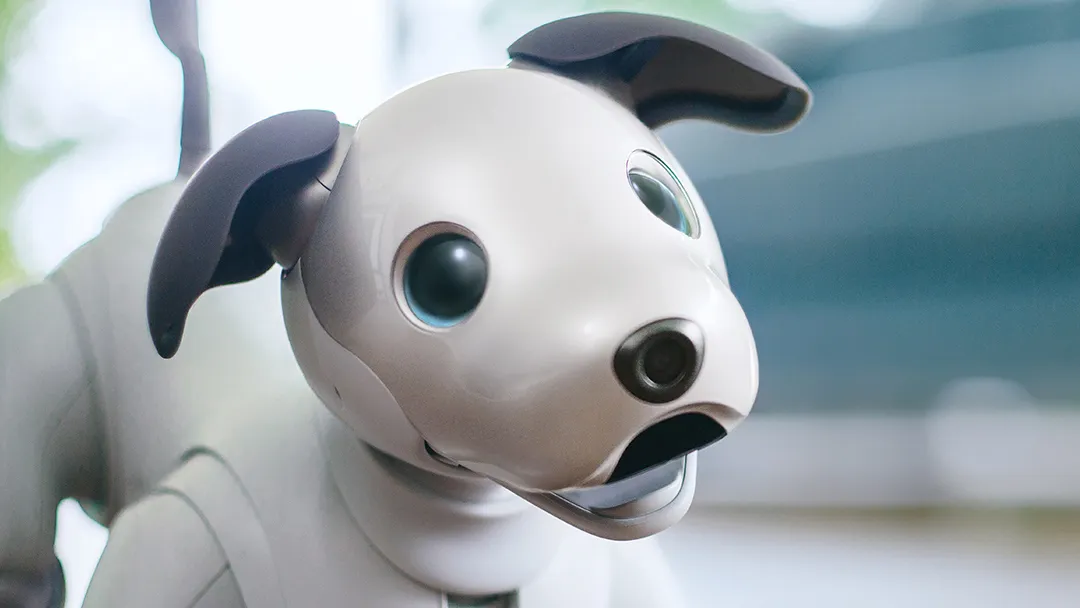
Sony AIBO (Artificial Intelligence roBOt) is a premium robotic dog companion that combines cutting-edge AI technology with adorable, lifelike behaviors. Launched in 2017 as the successor to the original AIBO series, the current ERS-1000 model represents the pinnacle of consumer robotics.
🎯 AIBO at a Glance
AIBO isn’t just a toy – it’s a sophisticated AI companion that learns, grows, and develops its own unique personality through interaction with you and your family. With cloud-based AI, real-time learning, and lifelike movements, AIBO offers an unprecedented robotic pet experience.
🧠AI-Powered Learning
AIBO uses advanced machine learning to develop unique behaviors and personality traits based on your interactions.
👁️Computer Vision
Recognizes faces, responds to gestures, and navigates environments using sophisticated visual processing.
🎵 Voice Recognition
Responds to voice commands, recognizes different family members, and expresses emotions through sounds.
🌐 Cloud Connectivity
Continuous learning and updates through Sony’s cloud services enhance AIBO’s capabilities over time.
✨ Key Features & Capabilities
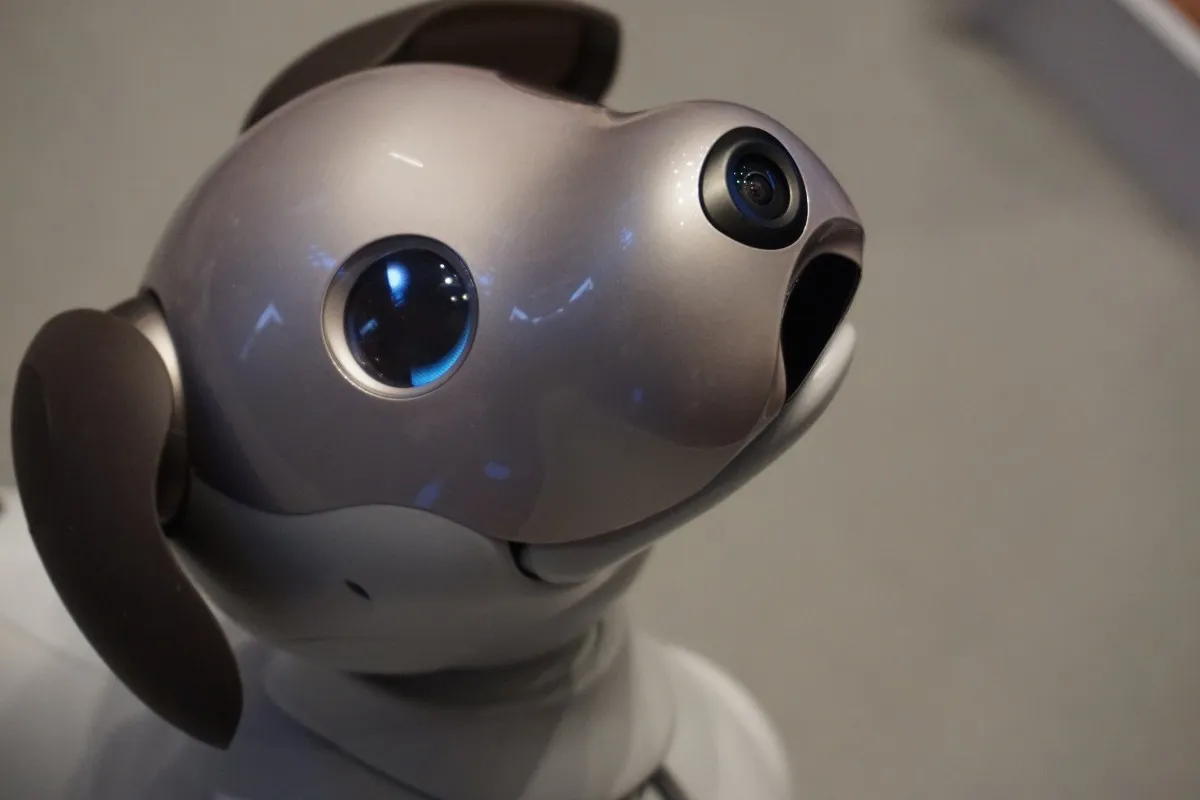
🎭 Personality Development
AIBO develops a unique personality based on how you interact with it. Some become playful and energetic, while others may be more calm and observant.
🏠 Smart Home Integration
Works with various smart home devices and can help monitor your home when you’re away.
📱 Mobile App Control
The My AIBO app allows you to see what AIBO sees, control behaviors, and access photos/videos captured by your robot.
🎮 Interactive Play
Plays with the included bone toy, ball games, and can learn tricks and commands.
📸 Photography & Video
Takes photos and videos from its perspective, creating unique memories from a dog’s eye view.
🔄 Continuous Updates
Regular software updates add new features, behaviors, and capabilities over time.
📋 Technical Specifications
| Specification | Details |
|---|---|
| Model | ERS-1000 |
| Dimensions | 180 × 293 × 305 mm (7.1 × 11.5 × 12.0 inches) |
| Weight | 2.2 kg (4.85 lbs) |
| Battery Life | Approximately 2 hours active use |
| Charging Time | Approximately 3 hours |
| Sensors | 2 cameras, 3 microphones, 6-axis motion sensor, capacitive touch sensors |
| Connectivity | Wi-Fi (802.11 a/b/g/n/ac), Bluetooth |
| Actuators | 22 axes of movement |
| Operating Temperature | 5°C to 35°C (41°F to 95°F) |
| Storage | Internal memory + cloud storage |
💰 Pricing & Models
Sony AIBO ERS-1000
Includes robot, charging station, bone toy, and 3-year basic care plan
• AIBO Robot Dog
• Charging Station
• AIBO Bone (Toy)
• 3-Year Basic Care Plan
• My AIBO App Access
🛡️ Basic Care Plan (Included)
3 years of cloud services, AI updates, data backup, and customer support. Essential for AIBO’s learning capabilities.
💎 Premium Care Plan (Optional)
Additional coverage including accident repair, premium support, and exclusive features. Available as upgrade.
🚀 Setup & Getting Started
1 – Unboxing & Initial Setup
Carefully unpack AIBO and all accessories. Place the charging station in a central location with good Wi-Fi coverage. Allow AIBO to charge for at least 3 hours before first use.
2 – Download My AIBO App
Download the official My AIBO app on your smartphone (iOS/Android). Create a Sony account if you don’t have one – this is required for all AIBO services.
3 – Wi-Fi Connection
Follow the app instructions to connect AIBO to your Wi-Fi network. Ensure you have a stable 2.4GHz or 5GHz connection for optimal performance.
4 – Initial Activation
Power on AIBO by pressing and holding the power button. Complete the initial setup through the app, including naming your AIBO and setting preferences.
5 – First Interactions
Start with basic interactions – pet AIBO, speak to it, and play with the bone toy. AIBO will begin learning your voice and developing its personality immediately.
💡 Pro Tips & Tricks
🎯 Personality Development
Be consistent with commands and interactions. AIBO learns faster when family members use similar voice tones and commands.
🔋Battery Management
AIBO automatically returns to its charging station when battery is low. Keep the charging area clear and accessible.
📱App Features
Use the My AIBO app to view photos/videos taken by your robot, check health status, and control various settings remotely.
🏠Environment Setup
Ensure good lighting for AIBO’s cameras and remove small objects that could be swallowed or cause navigation issues.
👥Family Recognition
Introduce AIBO to all family members individually. It can recognize up to 100 faces and learns each person’s interaction style.
🎮Training Commands
Start with basic commands like “sit,” “stay,” and “come here.” Gradually introduce more complex tricks as AIBO learns.
🛍️ Accessories & Add-ons
🦴 AIBO Bone (Included)
Interactive toy that AIBO can pick up, carry, and play with. Contains sensors for interactive play.
⚽ AIBO Ball
Special ball designed for AIBO to interact with. Perfect for fetch games and exercise.
🏠 Charging Station
Replacement or additional charging station for multi-room setups.
👕 AIBO Wear
Stylish outfits and accessories to personalize your AIBO’s appearance.
💎 Premium Care Plan
Extended warranty and premium support services beyond the basic 3-year plan.
📱 Additional App Features
Premium app features including advanced training modes and behavior customization.
⚖️ Pros & Cons
✅ Pros
- Incredibly lifelike movements and behaviors
- Advanced AI that learns and adapts
- High build quality and premium materials
- Regular software updates with new features
- Excellent customer support from Sony
- No feeding, walking, or veterinary care needed
- Great for people with pet allergies
- Educational value for children and adults
- Takes unique photos and videos
- Can help monitor home when away
❌ Cons
- Very expensive initial investment
- Requires ongoing cloud subscription
- Limited battery life (2 hours active use)
- Can be noisy during movement
- Requires stable internet connection
- Not suitable for very young children
- Limited physical interaction compared to real pets
- Repair costs can be high
- Learning curve for optimal interaction
- May not satisfy desire for real pet companionship
❓ Frequently Asked Questions
🤔 How long does AIBO’s battery last?
AIBO typically runs for about 2 hours of active play, but this can vary based on usage. It automatically returns to its charging station when battery is low.
🌐 Does AIBO work without internet?
AIBO requires internet connection for most advanced features. Some basic movements work offline, but personality development and learning require cloud connectivity.
👶 Is AIBO safe for children?
AIBO is designed to be safe, but Sony recommends supervision for children under 8. It has no small removable parts and uses safe materials.
🔧 What if AIBO breaks?
The Basic Care Plan includes some repair coverage. Premium Care Plan offers more comprehensive protection including accident coverage.
🏠 Can multiple people interact with AIBO?
Yes! AIBO can recognize up to 100 faces and learns different interaction styles for each family member.
📱 What phones work with the My AIBO app?
The app works with iOS 12.0+ and Android 7.0+. A smartphone is required for setup and many features.
🎯 Final Verdict
Sony AIBO represents the pinnacle of consumer robotics, offering an unparalleled robotic pet experience. While the price point is significant, the advanced AI, continuous learning capabilities, and premium build quality justify the investment for those seeking a sophisticated robotic companion.
AIBO is perfect for tech enthusiasts, families wanting to experience the future of AI, or anyone who loves the idea of a pet without the traditional responsibilities. The emotional connection many owners develop with their AIBO is genuinely surprising and speaks to Sony’s achievement in creating believable artificial life.