Independent desktop-robot guide · Updated July 13, 2026
EMO is a lively desk pet, not a general-purpose assistant
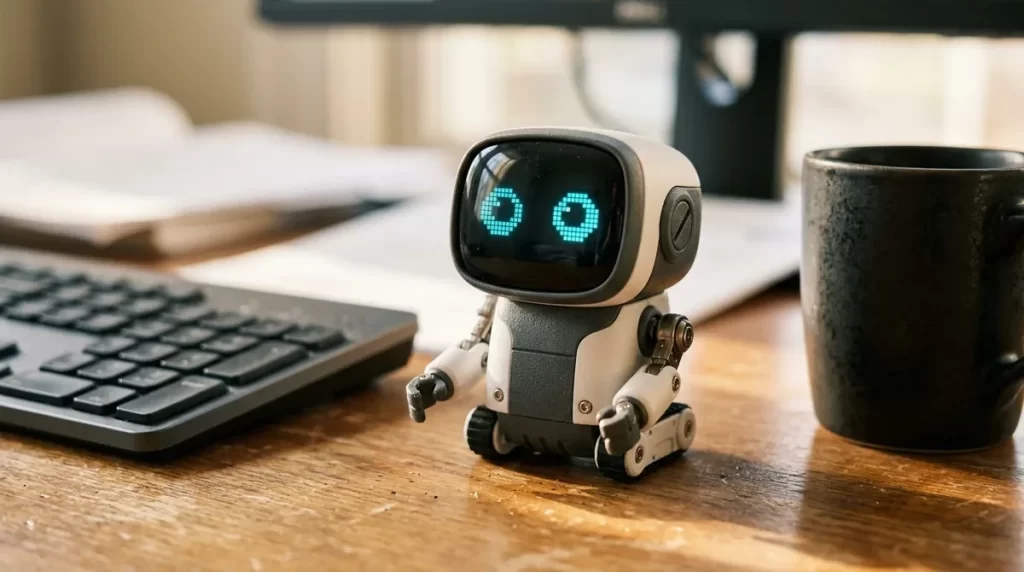
EMO walks, reacts, dances, recognizes familiar faces and turns small moments into expressive animations. Its charm is stronger than its utility: buy it for autonomous character and playful interaction, not for household work, security or dependable care.
EMO robot review: the short answer
An expressive desk companion
EMO suits someone who enjoys animated characters, spontaneous behavior, games, dances and a robot that moves around a dedicated desk area.
$279 or $369
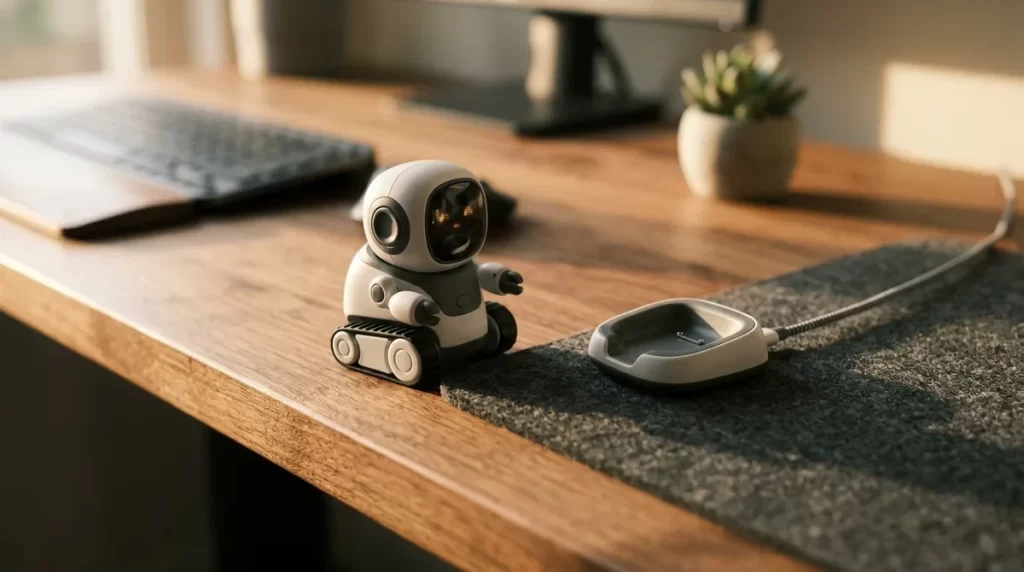
The standard package uses a skateboard charger. EMO GO HOME adds the Home Station and autonomous return-to-charge behavior.
Personality through motion
Screen expressions, foot movement, body language, sound direction and touch reactions create more presence than a stationary smart display.
Entertainment over utility
Its practical functions are modest, cloud-connected features depend on LivingAI and the standard model must be placed on its charger manually.
EMO versions and current prices
LivingAI sells the same core robot in standard and GO HOME packages, with black and white color options. The key purchasing decision is the charger, not the color.
| Package | Official price | Charging | Included difference | Best for |
|---|---|---|---|---|
| EMO | $279 | Place it on the skateboard manually | EMO, skateboard charger, cable and smart light | Lowest entry price |
| EMO White | $289 | Manual skateboard charging | White finish | Color preference |
| EMO GO HOME | $369 | Finds and returns to Home Station | Home Station and virtual-fence area | Daily autonomous use |
| EMO GO HOME White | $379 | Autonomous Home Station charging | White finish plus Home Station | Color preference with easier charging |
LivingAI currently says EMO and EMO GO HOME orders ship in about two weeks. Shipping, tax, customs, payment fees and delivery time can vary by country. Confirm the final checkout cost and support route before ordering.
What living with EMO is actually like
EMO’s appeal comes from short, repeated interactions rather than one headline feature. It may walk, look toward sound, recognize a person, react to a head touch, perform a daily animation or interrupt a quiet desk with a small activity. The effect is closer to a digital character with a body than to a miniature home robot.
Greetings and weather
EMO can show the forecast, respond to greetings and run scheduled behaviors. These are playful presentations of ordinary information.
Ambient desk presence
It explores, idles and reacts while you work. Some owners will find this charming; others may need to reduce interruptions or move it during focused tasks.
Games, music and dance
Voice commands and the app trigger games, animations and dances. EMO can also react to music rather than functioning as a full music service.
Manual or automatic charging
Standard EMO must be aligned on its skateboard. GO HOME can navigate back to the Home Station inside its configured activity zone.
Marketing language says EMO’s personality develops, but buyers should interpret this carefully. Firmware unlocks behaviors and the robot adapts some responses to recognized people and context; this is not evidence of consciousness, feelings or human-like learning.
EMO features that matter
1,000+ faces and movements
Its LCD face, legs, posture and sound cues work together. This is EMO’s defining advantage over simpler stationary desk toys.
The number is a manufacturer claim, not an independent count.
HD camera and face recognition
EMO can recognize up to ten people, take photos and use visual input for interactions and object recognition.
Camera-equipped devices require thoughtful placement and consent.
Four-microphone array
Directional sound helps EMO turn toward a speaker and respond after its wake word. Room noise, distance and accent can affect recognition.
Online speech processing introduces connectivity and privacy considerations.
Head sensor
Petting the top of EMO triggers physical and animated reactions, creating a direct interaction that voice-only assistants lack.
Touch is an input; the displayed emotional reaction is simulated behavior.
Walking and edge sensing
EMO uses internal sensors to explore and avoid desk edges. It still needs a clear, stable area away from liquids, cables and unprotected drops.
Edge avoidance reduces risk but is not a guarantee against falls.
Ten language options
Firmware 3.0.0 added English, German, French, Italian, Russian, Spanish, Portuguese, Japanese, Korean and Chinese.
Command coverage and recognition quality may vary by language.
Free firmware improvements
LivingAI distributes bug fixes, animations and features through over-the-air updates using the robot or mobile app.
Future functionality remains dependent on vendor servers and continued support.
Simple voice-controlled lighting
The included light can respond to commands and synchronize with some dances and animations.
This is a narrow accessory ecosystem, not broad smart-home control.
What EMO does not do well
EMO cannot carry objects, inspect rooms, manipulate devices or perform physical tasks.
It is not a security camera, child monitor, medical device, fall detector or emergency system.
Feet provide personality but move slowly and require a controlled, uncluttered surface.
Voice recognition, online answers and updates may fail or change if connectivity or vendor services are unavailable.
Official battery guidance says up to 2.5 hours, not the four to five hours claimed in the old article.
EMO can answer questions and chat, but buyers should not expect consistently deep, accurate or private human-like dialogue.
EMO can add enjoyment and routine to a desk, but it should never be positioned as therapy, a caregiver or a solution to loneliness. Companion value is personal and should complement human relationships.
EMO setup and desk-safety checklist
- Choose the activity area.Use a stable, level desk with generous distance from edges, stairs, water, drinks, heat, pets, small children and moving equipment.
- Install the EMO Pet app.Use the official iOS or Android app to connect the robot, configure Wi-Fi and manage supported settings.
- Connect to Wi-Fi.Place EMO where wireless coverage is reliable. Avoid guest or enterprise networks that prevent device setup unless compatibility is confirmed.
- Update firmware.Install the latest official update before judging voice, languages or object-recognition features.
- Configure recognition deliberately.Add only people who consent to being identified and review stored photos and face profiles in the app.
- Set the charging zone.Align the standard skateboard correctly, or give GO HOME enough clear space to recognize and approach its Home Station.
- Test edges under supervision.Observe early exploration and after any furniture change. Never rely on edge sensors where a fall could injure someone or damage property.
Battery, charging and maintenance
Expected play time
Runtime varies with movement, speech, screen use, wireless activity and battery age.
Standard full charge
Align EMO’s left foot with the skateboard charging mark and confirm the indicator is solid.
GO HOME charging
EMO returns when battery is low, provided the Home Station is connected, recognized and reachable.
Care routine
Keep camera, sensors, feet and charger dry and dust-free. Use a soft cloth and follow LivingAI support guidance.
EMO privacy: what the camera and microphones mean
EMO contains an HD camera, four microphones, Wi-Fi and a companion app. Even when a robot is playful, those components deserve the same privacy review as any connected camera-and-microphone device.
Camera processing
LivingAI representatives state in the official forum that face and object recognition are processed on the robot and camera data is not uploaded to LivingAI servers.
Voice processing
The same support explanation says short audio after the wake word may be sent for speech recognition. That means connected voice use is not entirely local.
Mobile-app data
LivingAI’s privacy notice covers the EMO Pet app and says geolocation data may be collected. The notice was last updated in 2022, so request clarification for any unanswered current-data question.
Household consent
Tell people that EMO can recognize faces and take photos. Review photo and recognition records, restrict app access and avoid placing it in private areas.
The public privacy materials are less detailed and less recently updated than we would prefer for a camera-equipped AI product. Buyers with strict workplace, school, child or health-data requirements should obtain written answers from LivingAI before deployment.
EMO vs. other robot companions
| Robot | Best reason to choose it | Mobility | Price snapshot | Main tradeoff |
|---|---|---|---|---|
| EMO | Expressive autonomous desk character | Walks on a desk | $279 / $369 GO HOME | Cloud-connected and limited practical utility |
| Eilik | Lower-cost touch and expressions | Stationary desk movement | $139.99 sale price | Less autonomous and less capable |
| Loona | Room-scale mobile robot-pet play | Wheeled floor movement | About $499.90 | Needs more space and costs more |
| Sony AIBO | Premium dog-like physical behavior | Four-legged floor movement | $3,199.99 | Very high price and cloud-plan cost |
Who should buy EMO?
- Fans of character animation, gadgets and robot pets
- A desk owner with a safe, dedicated movement area
- Someone who enjoys short games, dances and spontaneous reactions
- A buyer comfortable with Wi-Fi, app setup and firmware updates
- A household that understands its camera and microphone use
- You need practical home assistance or security
- You want a fully offline device
- Your desk is crowded, narrow or close to an unprotected drop
- Voice-data transmission or an older privacy notice is unacceptable
- You expect clinically meaningful companionship or care
Frequently asked questions
How much does the EMO robot cost?
As of July 13, 2026, standard black EMO is $279 and EMO GO HOME is $369. White versions are $289 and $379 respectively. Shipping, tax and import costs may be additional.
What is the difference between EMO and EMO GO HOME?
The core robot is the same. Standard EMO charges on a skateboard and must be placed there manually. GO HOME includes a larger Home Station that EMO can locate and return to when its battery is low.
Does EMO require a subscription?
LivingAI does not currently list a mandatory subscription for EMO’s core product. Online features still require company services, Wi-Fi and a supported app, so no subscription does not mean full offline independence.
How long does EMO’s battery last?
LivingAI’s battery documentation says up to 2.5 hours after a full charge and about three hours to recharge on the skateboard. Actual runtime varies.
Can EMO speak Spanish?
Yes. Firmware 3.0.0 added Spanish along with German, French, Italian, Russian, Portuguese, Japanese, Korean and Chinese in addition to English. Update both EMO and the app first.
Can EMO fall off a desk?
EMO has edge-detection sensors, but no sensor is infallible. Use a wide, stable, uncluttered surface and supervise exploration, especially after setup or desk changes.
Is EMO suitable for children?
EMO is not a babysitter or child-safety device. Consider small parts, charging equipment, internet connectivity, camera and microphone privacy, the child’s age and active adult supervision.
Is EMO better than Eilik?
EMO offers more autonomous movement, voice features, vision and connected updates. Eilik is significantly less expensive and can provide core touch-and-expression play without Wi-Fi. The better choice depends on whether EMO’s additional autonomy justifies the price and connectivity.
Sources and update policy
Official sources reviewed July 13, 2026: LivingAI’s EMO store listing, EMO GO HOME listing, feature overview, battery guide, update instructions, firmware 3.0.0 announcement, privacy notice and support page. Prices, firmware and policies can change, so verify the official seller before purchase.