Technology guide · Updated July 2026
How AI companion robots turn sensors, software and movement into an interaction
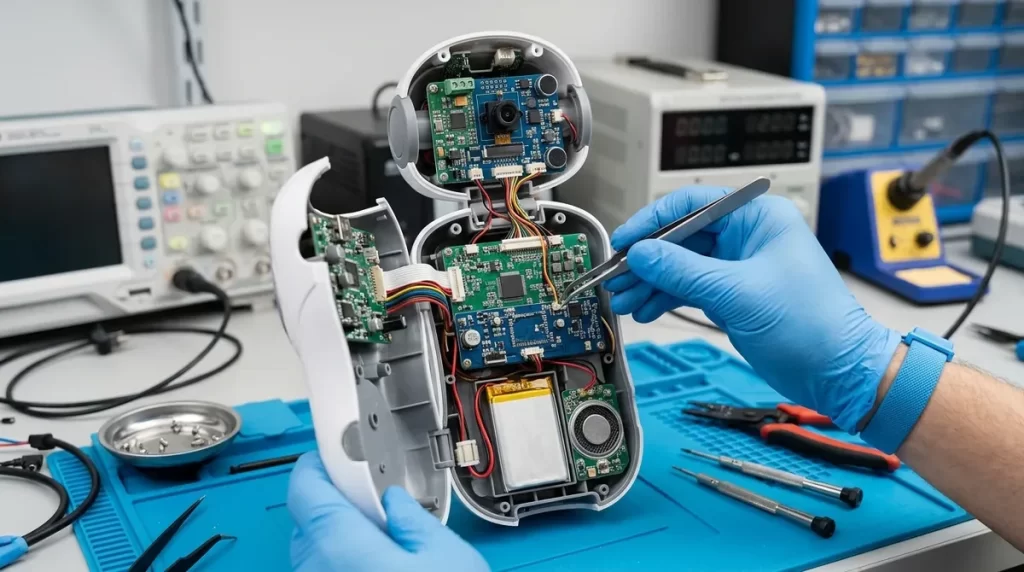
An AI companion is not a single artificial intelligence model inside a cute shell. It is a coordinated system: microphones and cameras capture signals, software interprets them, a dialogue or behavior engine selects a response, and motors, lights or speakers express that response.
What counts as an AI companion robot?
A companion robot is designed primarily for repeated social interaction rather than a single industrial task. It may look like a pet, a small desktop character, a mobile home assistant or a humanoid. Its defining feature is not appearance; it is the ability to sense a person, respond in context and adapt at least part of its behavior over time.
That definition covers very different products. Some use scripted behaviors with modest machine learning. Others combine speech recognition, computer vision and cloud-based language models. A sophisticated conversation does not automatically mean sophisticated navigation, and smooth movement does not prove that a robot understands language. Buyers should evaluate each capability separately.
The six-stage interaction loop
Most companion interactions can be understood as a loop. The individual components vary, but the sequence below is a useful way to compare products and diagnose delays or mistakes.
-
1
Sense
Microphones, cameras, touch sensors, distance sensors and internal telemetry collect raw signals.
-
2
Filter
Noise reduction, wake-word detection and sensor fusion remove irrelevant data and combine related signals.
-
3
Interpret
Speech, vision and context models estimate what happened: a spoken request, a recognized face, a touch or an obstacle.
-
4
Decide
A behavior system chooses an action while applying safety rules, product settings and the robot’s current state.
-
5
Respond
The robot speaks, moves, changes its expression, lights a display or controls a connected feature.
-
6
Learn or update context
Permitted preferences and interaction history may influence the next response. Not every product permanently learns from every exchange.
This loop runs repeatedly. A robot that is moving may process obstacle data many times per second while handling speech on a slower conversational timeline. Robotics middleware helps separate those jobs into components that can exchange data. In ROS 2, for example, topics suit continuous streams, services suit short request-and-response tasks, and actions suit longer tasks that provide feedback.
The hardware stack: what the AI depends on
Microphones and speakers
Microphone arrays can help locate a speaker and reduce background noise. Speaker quality affects whether voices sound clear at normal household distance.
Cameras and depth sensing
Visual sensors may support face detection, object recognition, video calling or navigation. A physical shutter is a meaningful privacy feature.
Touch and proximity sensors
Capacitive touch, bump, infrared and time-of-flight sensors let the robot react to contact and nearby obstacles without relying on a camera alone.
Motors and actuators
Actuators create head, eye, limb or wheel movement. Quiet motors, safe force limits and repairable moving parts matter in everyday use.
On-device processor
The processor handles time-sensitive work such as motor control, wake words and some perception. Dedicated neural processors can accelerate supported models.
Battery and charging system
Battery capacity determines useful mobile time, but charging behavior matters too. Some robots dock themselves; others must be placed on a charger.
The software and AI stack
A companion robot typically runs several specialized systems instead of one all-purpose model. Keeping those responsibilities separate can improve reliability and makes it possible to apply strict safety rules to movement even when a conversational model produces an unexpected answer.
Speech and language
A voice interaction usually starts with wake-word detection or a button. Automatic speech recognition converts audio into text or intent. A dialogue system then selects a response, and text-to-speech generates audio. Some products use a large language model for flexible conversation, while safety-critical commands may stay within a smaller list of verified intents.
Computer vision
Vision software can detect faces, bodies, gestures, objects or room features. Detection means finding a pattern in an image; recognition attempts to associate it with a known identity or category. Those tasks have different privacy implications. A buyer should be able to learn whether images are processed on the device, sent to a server, stored, or discarded.
Emotion-related features
Products may estimate cues such as voice energy, facial expression, word choice or interaction frequency. These signals are uncertain and culturally dependent. The responsible interpretation is that a robot is classifying observable patterns—not reading a person’s mind or experiencing emotion itself. It should never be presented as a replacement for qualified medical or mental-health care.
Navigation and movement
Mobile robots may build a map, estimate their location and plan a route around obstacles. This is distinct from conversational intelligence. Safe movement needs fast local control, conservative speed and a fallback behavior when sensor data is incomplete.
On-device AI vs. cloud AI
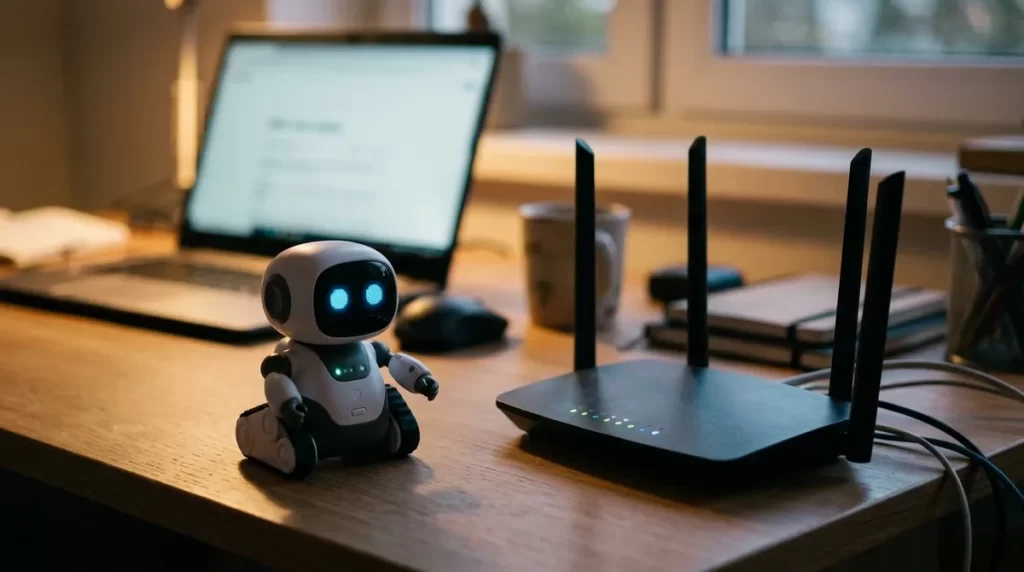
Many products use a hybrid design. Immediate tasks remain local, while computationally expensive speech or language features may use a cloud service. Neither approach is automatically better; the trade-off depends on the feature and the user’s priorities.
| Question | On-device processing | Cloud processing |
|---|---|---|
| Response time | Often faster for small, time-sensitive tasks | Depends on network latency and service load |
| Internet outage | Supported features can keep working | Cloud-dependent features may stop or degrade |
| Privacy exposure | Data may remain on the device | Selected data leaves the home for processing |
| Model capability | Limited by device power, memory and heat | Can use larger models and centralized services |
| Updates | Requires device firmware or model updates | Service can improve without replacing hardware |
| Long-term risk | Core features may survive a discontinued service | Features may depend on an active account or subscription |
Before buying, ask for a feature-by-feature answer rather than a general claim that the robot “uses local AI.” Wake-word detection may be local while complete voice recordings are transmitted after activation. Conversely, a cloud-connected robot may offer clear retention controls and delete recordings promptly.
Memory, adaptation and personalization
Companion robots can appear to “learn” in several different ways. The distinction matters because each kind of memory has different benefits and privacy costs.
- Session context
- Information used during the current conversation and discarded afterward.
- Saved preferences
- Names, schedules, favorite activities or accessibility settings deliberately retained for future use.
- Interaction history
- Logs or summaries used to continue routines and avoid repeating questions.
- Behavior adaptation
- Rules or models adjust timing, recommendations or expressions based on repeated interaction.
- Model training
- User data contributes to improving a broader model. This is not the same as personal memory and should have a separate explanation and control.
A trustworthy product should let users see what is stored, correct inaccurate information and delete the account or history. Families should also consider how recognition and saved profiles work when several people share the same home.
What current companion robots can—and cannot—do
Reasonable expectations
- Run reminders, routines and supported smart-home actions
- Offer conversation within the product’s language support
- React to touch, voice, faces or movement when conditions are suitable
- Provide entertainment and a consistent interactive presence
- Adapt selected preferences and recurring behaviors
Claims to treat cautiously
- Perfect understanding of emotion or intent
- Human-level common sense in unfamiliar situations
- Guaranteed companionship or medical outcomes
- Completely private operation without checking each feature
- Permanent functionality when cloud services are discontinued
Privacy and security: questions worth asking
A companion robot may operate in bedrooms, living rooms or care environments, so privacy is part of product quality. The NIST AI Risk Management Framework emphasizes managing AI risks to people and organizations, while the NIST Privacy Framework provides a broader approach for identifying and managing privacy risk.
- Camera and microphone controls: Are there physical switches or shutters, and is recording status obvious?
- Data route: Which features work locally, and which send audio, images or account data to a server?
- Retention: How long is information stored, and can the user delete individual records and the full account?
- Training choice: Is personal data used to train models, and is that optional?
- Household profiles: Can guests or children be excluded from recognition and saved memory?
- Security updates: Does the manufacturer state how long it expects to provide updates?
- Account protection: Are strong passwords and multi-factor authentication available?
- End of service: What remains functional if the subscription ends or the company closes the cloud service?
A technology-first buying checklist
Specifications are useful only when they connect to a real need. Use this table to compare products consistently before following a retailer link or paying for a subscription.
| Evaluate | Why it matters | Evidence to look for |
|---|---|---|
| Primary purpose | A pet-style robot, senior assistant and desktop character solve different problems. | Supported tasks demonstrated in the manual, not only advertising language. |
| Offline behavior | Shows how dependent the experience is on internet and cloud services. | A written list of features available without Wi-Fi. |
| Total ownership cost | Subscriptions, accessories and batteries can exceed the initial price. | Hardware price plus required plans and expected replacement items. |
| Language and region | Speech, apps, warranties and cloud features may vary by country. | Official regional compatibility and supported-language documentation. |
| Mobility and home fit | Steps, rugs, pets and clutter can limit navigation. | Clear floor requirements, obstacle limits and safe operating guidance. |
| Repair and support | Moving parts and batteries wear out. | Warranty length, repair process, spare-part availability and update policy. |
| Privacy controls | Cameras, microphones and stored profiles create ongoing responsibility. | Physical controls, deletion tools and a readable privacy notice. |
| Return policy | Real-world voice recognition and household fit are difficult to judge from a video. | A documented return window without excessive restocking conditions. |
Frequently asked questions
Do AI companion robots understand people?
They interpret patterns in speech, images, touch and context. A good system may respond convincingly within supported situations, but that is not the same as human understanding or consciousness.
Can a companion robot work without the internet?
Some functions may work offline, especially movement, touch reactions and basic commands. Advanced conversation, remote access and account synchronization often require a connection. Check the manufacturer’s feature-level documentation.
Does a companion robot record everything?
Not necessarily. Designs differ: some process a wake word locally and transmit audio only after activation, while others offer different camera or history settings. Review the current privacy notice and use physical controls when available.
Can a robot companion replace a therapist or caregiver?
No. A robot may support reminders, engagement or structured activities, but it should not replace qualified healthcare, emergency help or necessary human supervision.
What is the most important specification?
There is no single best number. Start with the intended use, then evaluate reliability, privacy, offline behavior, support lifetime and total cost. Those factors usually matter more than an isolated AI benchmark.
How this guide was prepared
This article describes widely used robotics and AI architecture patterns. It separates observable product capabilities from marketing terms and avoids assigning unsupported performance percentages. Product-specific behavior should always be confirmed in current manufacturer documentation.