Assistive robotics guide · Updated July 2026
The right robot starts with a task, not a diagnosis
Robots can support reaching, eating, communication, routines, remote participation or rehabilitation. A useful system is one a person can control reliably in the places that matter to them—not simply the model with the longest feature list.
What counts as an assistive robot?
Assistive technology includes products and services that maintain or improve functioning in areas such as mobility, communication, cognition, self-care, hearing and vision. A robot belongs in that larger ecosystem. It may be helpful, but it rarely replaces a wheelchair, communication device, environmental control, personal assistance or accessible home design.
Social or companion robot
Uses speech, movement or a character-like presence for interaction, reminders, activities or remote contact. It normally does not provide physical assistance.
Task-assistance robot
Manipulates objects or supports an activity such as reaching, grasping or eating. Fit, controls, mounting and collision safety are central.
Rehabilitation or medical robot
Supports clinical training or a medical purpose. It may require professional selection, supervision, a prescription or regulatory clearance for its intended use.
Six goals a robot may support
Reach and manipulate
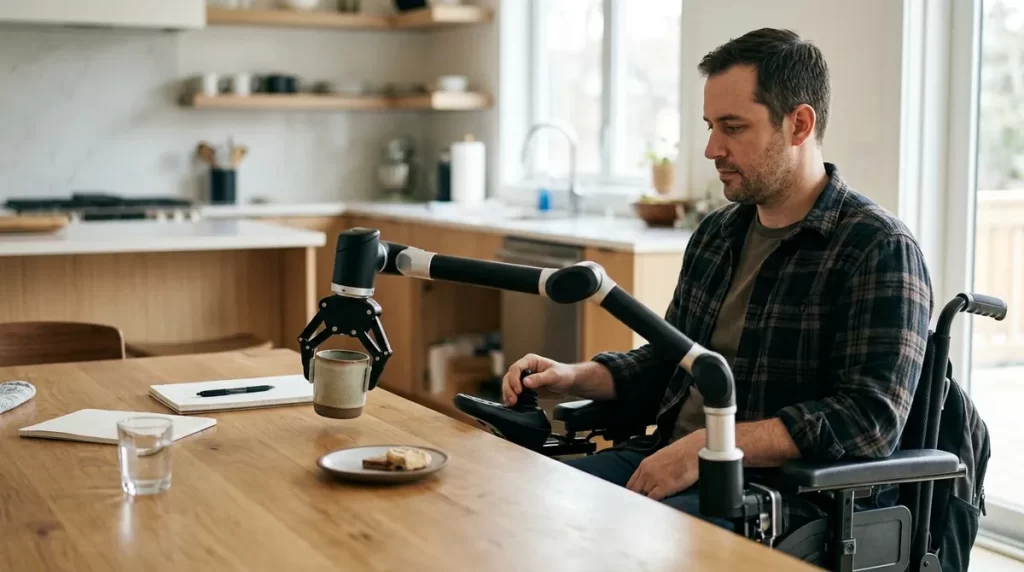
A wheelchair-mounted arm may help move lightweight objects, operate a switch, open some doors or bring an item closer.
Measure reach envelope, payload, mounting, precision and recovery after an error.
Eat with greater control
A powered feeding system can move prepared food from a dish toward the user after an intentional command.
Swallowing safety, positioning, food preparation and an immediate stop control still matter.
Communicate and participate
A social or telepresence robot may support remote attendance, shared activities or structured communication practice.
Compare it with a tablet, AAC device or standard video call before accepting extra complexity.
Follow routines
Prompts, timers and step-by-step activities may support medication routines, hydration, appointments or household tasks.
Critical reminders need confirmation, escalation and a non-robot backup.
Practice a clinical skill
Rehabilitation robots can deliver repeatable upper-limb or gait exercises as part of a professional treatment plan.
Training effects from a clinical device do not automatically apply to consumer companion robots.
Control the environment
A robot may connect with lights, doors, entertainment or smart-home equipment, although a simpler hub may perform the same task.
Test internet outages, manual overrides and compatibility with equipment already in use.
Control method can matter more than the robot
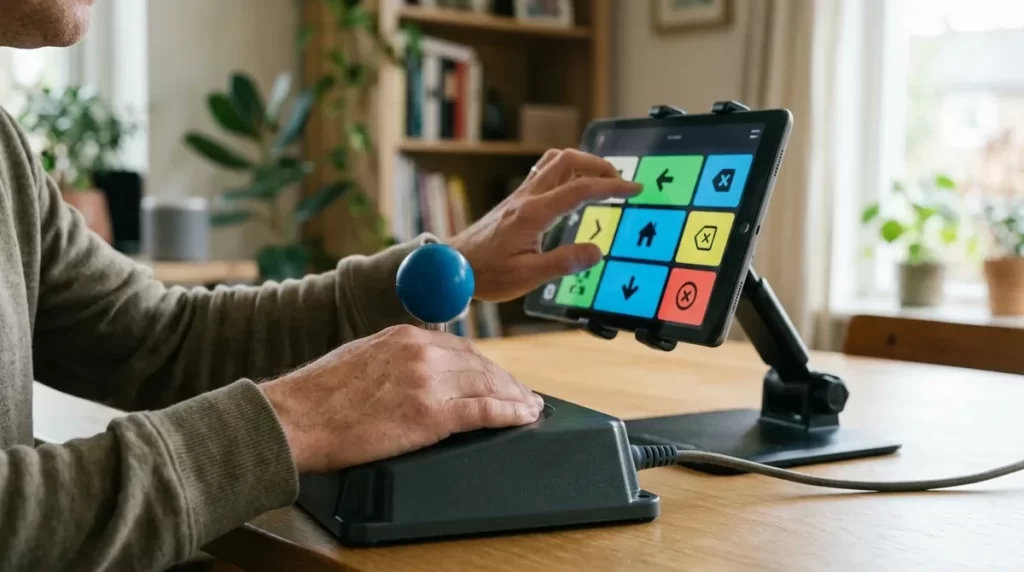
A technically capable arm or mobile robot is not useful if its interface causes pain, fatigue, accidental commands or dependence on another person. The preferred input should be tested during realistic tasks and over enough time to reveal fatigue.
| Access method | Potential strength | What to test |
|---|---|---|
| Joystick or touch control | Direct, familiar and often precise | Reach, grip, tremor filtering, screen target size and sustained use |
| Switch scanning | Can work with one or a few reliable movements | Scan speed, error correction, cognitive load and emergency stop access |
| Head, chin or sip-and-puff input | May integrate with powered-wheelchair controls | Mount position, calibration, fatigue and conflict with wheelchair driving |
| Voice control | Hands-free and fast in favorable conditions | Speech variability, noise, privacy, accent support and an alternative input |
| Eye gaze | Useful when voluntary limb movement is limited | Lighting, glasses, calibration, dwell time, fatigue and false activation |
| Caregiver or shared control | Can assist setup and complex recovery | Consent, user autonomy, remote-stop authority and availability |
A resilient setup has a primary input, a practical backup and a stop command the user can reach without waiting for help.
What research supports—and what remains uncertain
Robotics research covers very different devices and outcomes. Evidence for a gait-training robot cannot be used to advertise a conversational companion, and a successful laboratory demonstration does not prove that a product will work independently at home.
Access is the larger problem
The World Health Organization reports that more than 2.5 billion people need at least one assistive product, while access remains highly unequal. Robots should complement proven assistive technology rather than divert resources from essentials.
Benefits depend on condition and device
A 2024 umbrella review examined 62 systematic reviews covering 341 randomized trials and 14,522 participants. The strongest suggestive evidence was concentrated in stroke rehabilitation, with important gaps for other conditions.
Pilots do not settle effectiveness
A randomized pilot placed a telehealth robot in the homes of 60 people after hospitalization for COPD. This type of study can test feasibility and adherence, but one small trial is not a universal case for home robots.
Acceptability and outcomes are mixed
A dementia review covering 66 studies found some systems feasible and acceptable, while pooled effects on several clinical outcomes were limited and speech recognition or usability created problems for some robot types.
Real technologies worth investigating
These are examples of categories, not universal recommendations. Availability, intended use, service coverage and regulatory status can change by country and product version.
Wheelchair-mounted robotic arms
Systems such as the JACO assistive robot are designed to manipulate objects from a powered-wheelchair platform. Read the current manual and verify compatible chairs, controls, payload, training and local service.
Companion and telepresence robots
These may facilitate activities, remote contact or prompts. Compare them against simpler alternatives, and review microphone, camera, cloud processing, subscription and account-management requirements.
Upper-limb and gait rehabilitation systems
These devices are generally selected around a rehabilitation goal and clinical protocol. They are not ordinary household companions and should be evaluated with the relevant therapy and medical team.
Robotic feeding and mobile manipulation
Research systems demonstrate potential for greater self-feeding and object manipulation, but commercial readiness, food safety, positioning and individual access must be confirmed for the exact device.
A person-centered evaluation workflow
- Start with the person’s priorityDescribe the activity in concrete terms: what, where, how often and with whose assistance.
- Map the current workflowRecord equipment already used, successful strategies, pain, fatigue, risks and points where help is needed.
- Compare simpler optionsCheck whether an adapted utensil, mount, switch interface, smart-home control or personal assistance meets the goal better.
- Choose access methodsTest primary and backup inputs with the person, not only with a salesperson or caregiver.
- Trial in the real environmentUse the actual doorway, table, lighting, Wi-Fi, wheelchair, speech conditions and daily schedule.
- Measure a meaningful outcomeExamples include tasks completed independently, time, errors, fatigue, satisfaction or assistance required.
- Plan support and failure recoveryAssign responsibility for charging, cleaning, updates, repairs, transport, training and urgent shutdown.
- Review after adoptionReassess fit when health, seating, living arrangements, software or support services change.
Safety, privacy and dignity
Physical contact
Identify pinch, crush, collision and tipping risks. Confirm force limits, stop controls and safe behavior after power or sensor failure.
Eating and swallowing
A feeding robot does not diagnose swallowing safety. Follow the positioning, texture and supervision plan established by qualified professionals.
Transfers and mobility
Do not improvise lifting, transfer or fall-prevention uses that are absent from the manufacturer’s intended use and training.
Data and cameras
Determine what is recorded, where it is processed, who can access it, how long it is retained and what happens when an account closes.
Updates and connectivity
Check offline behavior, security-update policy, supported lifespan and whether core functions disappear when a subscription or cloud service ends.
Choice and consent
The user should be able to decline interaction, mute monitoring and understand when a person is watching or controlling the robot remotely.
The FDA’s guidance for home-use medical devices recommends considering the user’s capabilities, utilities, home environment, instructions, maintenance and reliable purchasing support. Those questions are useful even when a robot is not regulated as a medical device.
Funding and acquisition routes
Coverage is never automatic. It may depend on jurisdiction, age, employment or education status, medical necessity, product classification and whether a less costly option meets the same goal.
United States
- State Assistive Technology Act programs may offer demonstrations, device loans, reuse services or financing information.
- Vocational rehabilitation or an employer accommodation process may apply when the goal concerns work.
- School systems, veterans’ services, Medicaid waivers, insurers or charitable programs may have separate eligibility rules.
Administration for Community Living · Job Accommodation Network
Other countries
- Begin with the national or regional assistive-technology, rehabilitation, disability or health service.
- Ask whether assessment, trial, maintenance and replacement are funded separately from the device.
- Request written criteria and an appeal route before assuming a denial is final.
The WHO describes major global gaps in affordability, supply, trained personnel and access to appropriate products.
Questions to ask before buying
Our rule for future product recommendations
A device should be evaluated by task fit, access, safety, evidence, support and total cost. Affiliate commission, novelty or human-like appearance will not substitute for those criteria.
Frequently asked questions
Can a companion robot replace a caregiver?
No. A robot may automate a narrow activity or provide prompts, but it cannot replace the judgment, flexible assistance, relationship and emergency response a person may provide.
Are assistive robots medical devices?
Some are; others are consumer or research products. Status depends on intended use, claims, jurisdiction and exact model. Verify documentation with the relevant regulator and clinical team.
What is the best robot for someone with limited mobility?
There is no diagnosis-based best model. The answer depends on the desired task, voluntary movement, seating, controls, environment, safety, support and budget.
Can insurance pay for an assistive robot?
Sometimes, but coverage varies widely. A professional assessment, functional justification, trial results and evidence that the device is appropriate may be required.
Should I buy a robot advertised as AI-powered?
Only after verifying what the AI feature does, whether core functions work offline, how data is handled and whether the complete product solves the intended task more reliably than simpler options.
How this guide was prepared
We separated consumer companion robots, task-assistance devices and clinical rehabilitation systems; checked claims against public-health guidance, regulatory resources, manufacturer documentation and peer-reviewed research; and excluded the fictional product names found in the previous draft. Prices and funding promises were omitted because they vary and can become outdated quickly.
Primary references
- World Health Organization: Assistive technology
- Umbrella review of robotic devices for medical rehabilitation
- Pilot randomized trial of a home robot for COPD support
- Systematic review of socially assistive robots in dementia
- FDA: Frequently asked questions about home-use devices
- JACO assistive robot user guide