Remote-work technology guide · Updated July 2026
A robot should solve a work problem that software alone cannot
Desk companions can make routines more visible, while telepresence robots can give a remote employee limited mobility inside another location. Neither guarantees focus, wellbeing, collaboration or a positive return on investment.
“Remote-work robot” can mean three different things
The term is often stretched to include any AI assistant. A physical robot is only justified when its body, movement, sensors or presence contributes something useful.
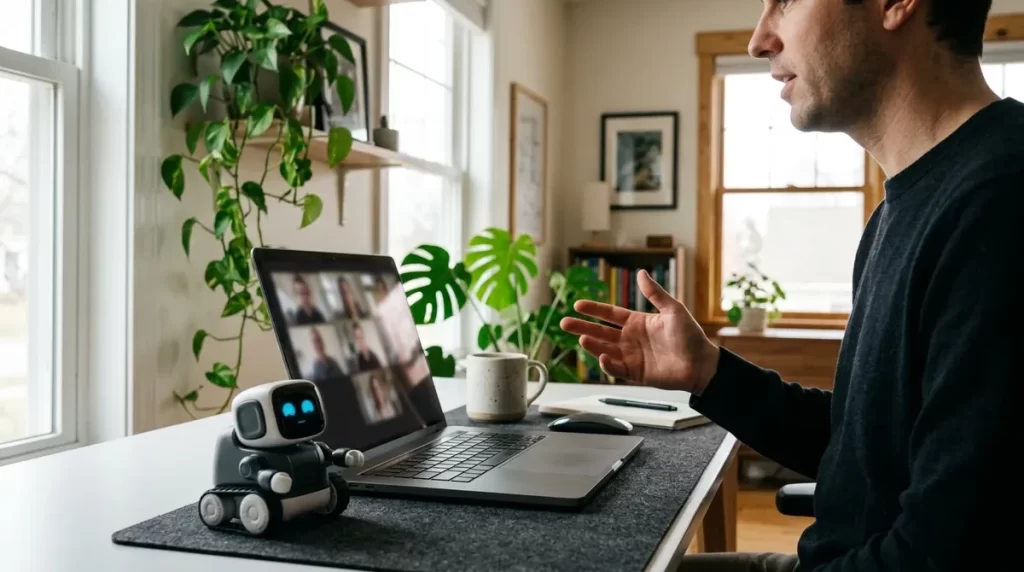
Desktop companion
A small embodied device that can display timers, deliver prompts, react to events or provide brief interactions at a home desk.
Best question: does embodiment make the routine easier to notice or follow?
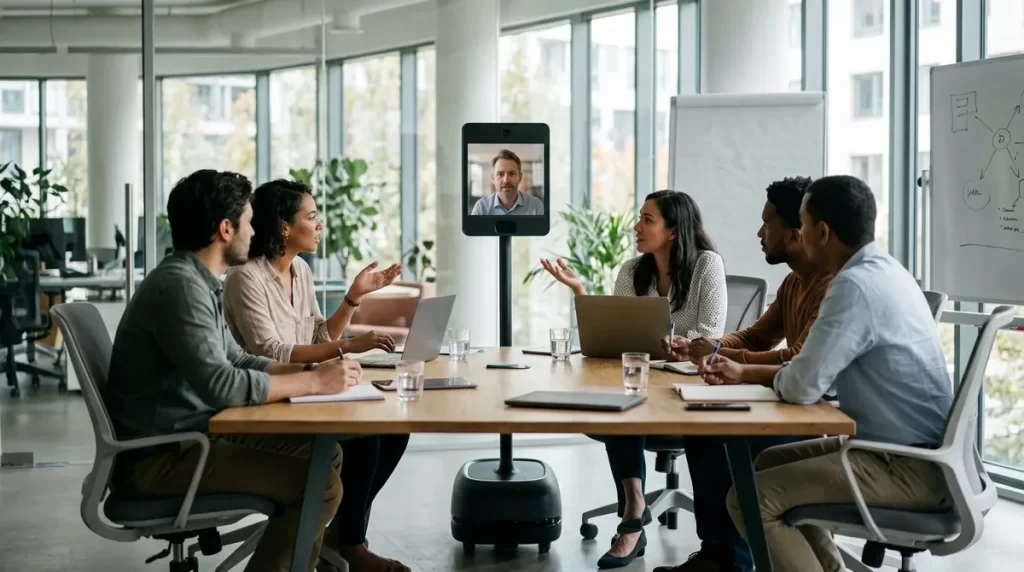
Mobile telepresence robot
A remotely driven screen, camera, microphone and speaker on a mobile base located in an office, lab or other workplace.
Best question: does self-directed movement add value beyond a video call?
Physical automation system
A robot that inspects, moves, captures or manipulates something at a distant site under remote or autonomous control.
Best question: is the job physical and can it be performed safely at a distance?
Six use cases worth evaluating
Visible focus sessions
A desk robot can show the current work block and signal a transition without adding another browser notification.
Measure: planned sessions started and completed.
Movement and rest prompts
An embodied cue may be harder to ignore than an app, but prompts must be configurable and should not make medical claims.
Measure: accepted prompts, discomfort and interruption cost.
Hybrid meeting presence
A telepresence robot may let a remote participant change position, face speakers or move between nearby spaces.
Measure: meetings where mobility improved participation.
Remote walkthroughs
Self-navigation can be useful when a remote specialist needs to observe equipment, signage, prototypes or a changing physical environment.
Measure: trips or escorted video sessions avoided.
Ambient status
Light, posture or a small display may communicate availability, a timer or an upcoming commitment without opening another window.
Measure: missed transitions and unwanted interruptions.
Structured social rituals
A team might use a robot for a planned check-in or informal event, but it should not be marketed as a treatment for loneliness.
Measure: voluntary use and participant feedback.
What research actually shows
The evidence does not support a blanket statement that robots make remote workers healthier or more productive. Results depend on job design, home conditions, team practices, device friction and whether the intervention solves a real problem.
Health effects are context-dependent
A systematic review of working from home found varied effects and highlighted limitations in study quality and representation. Home working itself is not uniformly beneficial or harmful.
Novelty does not guarantee adoption
A Microsoft Research case study piloted a telepresence robot for three months. After considering low adoption and operational challenges, routine use was discontinued.
Simple prompts already have evidence
A 2025 meta-analysis of 18 studies and 1,164 office workers found computer prompts reduced sitting time modestly. Evidence for secondary health and work outcomes was less certain.
Early studies remain small
Research on robot-mediated workplace health prompts includes small, exploratory deployments. It is useful for design questions, not proof that a robot outperforms a timer for every worker.
Check simpler alternatives first
| Need | Simpler first option | When a robot may add value |
|---|---|---|
| Focus timer | Timer, calendar block or focus app | A visible physical cue is consistently easier for the user to notice |
| Break reminders | Operating-system or wearable prompts | Embodied prompts improve adherence without becoming disruptive |
| Meeting participation | Laptop, room camera and quality audio | The remote participant benefits from independently changing location or viewpoint |
| Informal connection | Scheduled social call or async channel | The workplace supports safe, voluntary mobile telepresence between spaces |
| AI assistance | Approved software on an existing device | Physical sensors or actions are essential to the workflow |
| Ergonomic improvement | Workstation assessment and equipment changes | A robot complements—not replaces—changes to furniture, tools and work design |
The NIOSH home-work guidance emphasizes workstation setup, posture variation, screen breaks, boundaries and social connection. A companion robot may deliver a prompt, but it cannot correct an unsuitable chair, display height or workload.
Accessibility and workplace accommodations
A remote-work robot can sometimes support access, but the employee should not be forced to adopt a conspicuous or difficult device when another accommodation works better. Selection should begin with the worker’s actual tasks and preferences.
In the United States, workers and employers can obtain free guidance about accommodation options from the Job Accommodation Network. Legal duties and available programs vary by location, so product marketing should not be treated as employment-law advice.
How to test a desk companion
- Choose one behaviorFor example: start a morning planning block or take a brief screen break each hour.
- Record a baselineMeasure the behavior for one week using the current timer or workflow.
- Configure quiet hoursDisable speech, movement or lights during calls, deep work and outside work hours.
- Limit permissionsGrant only the calendar, microphone, camera or account access required for the chosen task.
- Run a two-to-four-week trialTrack adherence, interruptions, errors and whether novelty fades.
- Compare with the baselineKeep the robot only if the improvement matters and justifies its cost and upkeep.
How a team should pilot telepresence
Prepare the environment
- Map stairs, narrow passages, glass, cables and restricted zones.
- Define approved hours, docking, network access and storage.
- Tell on-site staff when cameras and microphones can be active.
Support both sides
- Assign local help for doors, elevators, charging and recovery.
- Use a visible indicator when a remote operator is connected.
- Create meeting etiquette that does not isolate the robot user.
Decide with evidence
- Compare participation with standard video conferencing.
- Count successful sessions, failures and staff support time.
- Collect feedback from remote and on-site participants.
Privacy, security and workplace boundaries
Camera visibility
People nearby should know when video is active. Avoid private rooms, screens, documents and conversations outside the approved use.
Account control
Use organization-managed accounts, strong authentication, role-based access and a documented offboarding process.
Data retention
Determine whether audio, video, transcripts, maps or usage logs are stored, where they go and how they are deleted.
Monitoring limits
A robot should not become an undisclosed employee-surveillance channel. Define purpose and prohibited uses in writing.
Physical safety
Set speed, obstacle and no-go rules. Provide an accessible stop process and document how a stranded robot is recovered.
Work-life boundary
Prompts and companion features should stop outside agreed hours. A robot must not normalize constant availability.
A realistic value calculation
Do not begin with a manufacturer’s productivity percentage. Calculate value from the specific workflow you observed.
Some benefits—such as access to a workplace for a person who cannot travel—should not be reduced to labor minutes alone. Record qualitative benefits separately and let affected employees describe their value.
Questions before buying
How future recommendations will be ranked
Task fit, setup friction, privacy, accessibility, support, total cost and pilot results will carry more weight than appearance, AI branding or affiliate commission.
Frequently asked questions
Can a robot make me more productive at home?
Possibly for a narrow routine, but there is no guarantee. Compare it with a timer or workflow change, measure the result and account for interruptions and maintenance.
Can a robot reduce remote-work loneliness?
A robot may create a pleasant interaction or support contact with colleagues, but it is not a substitute for voluntary human connection, healthy work design or mental-health care.
Is a telepresence robot better than Zoom or Teams?
Only when mobility or control of viewpoint matters enough to justify extra cost, support, safety and privacy requirements. For many meetings, ordinary video is simpler.
Should an employer provide the robot?
If it is required for the job or an approved accommodation, ownership, support, security and reimbursement should be discussed with the employer rather than assumed to be the worker’s responsibility.
What is the most important feature?
Reliable completion of the chosen task. Features such as expressive movement, generative AI or autonomous navigation only matter when they improve that outcome safely.
How this guide was prepared
We separated physical robots from ordinary AI software, removed fictional product names and unsupported ROI claims from the old draft, and reviewed occupational-health guidance and published research on remote work, telepresence and workplace prompts.