Ownership guide · Rules checked October 12, 2026
Most robot pets can fly, and the battery label decides how
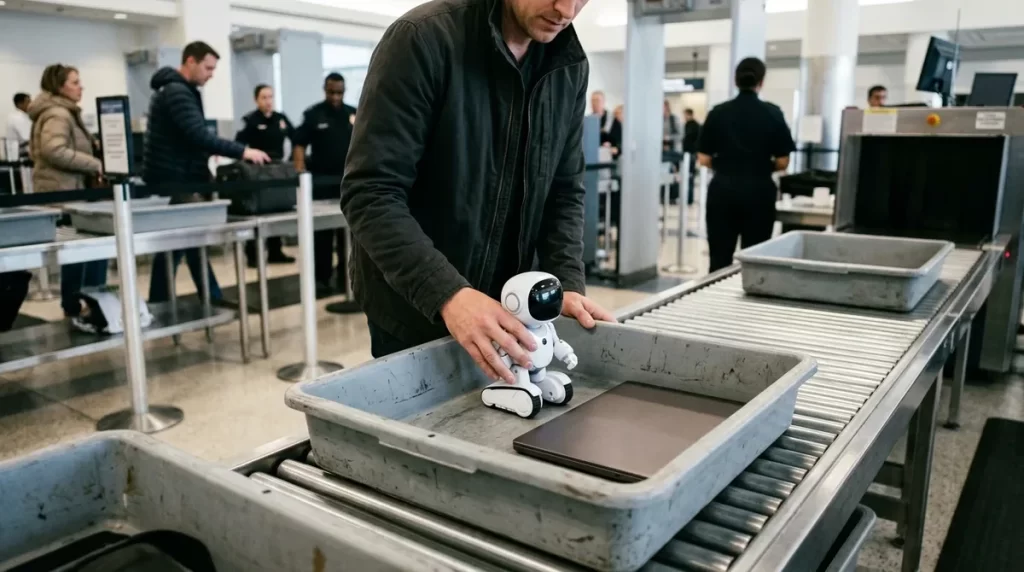
US rules treat a robot pet like any other device with a lithium-ion battery. If the battery is rated at 100 watt-hours or less and stays installed, it is allowed in carry-on bags and, with precautions, in checked bags. Spare lithium batteries must travel in the cabin. Every robot pet with a published battery rating that we checked sits far below the 100 Wh line.
Lithium battery rules for passengers
| Battery | Installed in the robot | Spare (loose) battery |
|---|---|---|
| Up to 100 Wh | Carry-on: yes. Checked: yes, switched off and protected from damage | Carry-on only, terminals protected |
| 101 to 160 Wh | Airline approval needed | Airline approval; maximum two spares per person, carry-on only |
| Over 160 Wh | Not allowed on passenger aircraft | Not allowed |
| Damaged or swollen | Not allowed in any bag | |
Power banks count as spare batteries, so a charging bank for the robot follows the carry-on-only rule. Alkaline batteries, like the four C cells in a Joy for All companion pet, are not lithium and are not subject to these watt-hour limits.
How to find your robot’s watt-hour rating
Look on the battery, the underside of the robot or the safety leaflet for a figure in Wh. If only volts and milliamp-hours are printed, multiply them and divide by 1,000:
Do not rely on milliamp-hours alone. A 1,350 mAh battery at 11.1 V holds three times more energy than a 1,350 mAh battery at 3.7 V.
Battery ratings of popular robot pets
| Robot | Published battery | Approximate Wh | Under 100 Wh? |
|---|---|---|---|
| Loona Petbot | 11.1 V, 1,350 mAh lithium-ion | 15.0 Wh | Yes |
| Casio Moflin | 3.7 V, 1,200 mAh lithium-ion | 4.4 Wh | Yes |
| Eiliko | 3.7 V, 400 mAh | 1.5 Wh | Yes |
| Eilik | 450 mAh (voltage not listed) | About 1.7 Wh at a typical 3.7 V | Yes |
| Joy for All Cat or Pup | 4 x C alkaline | Not lithium | Not applicable |
| Sony aibo ERS-1000 | Check the label on the battery | Sony lists about 14 W consumption for about 2 hours of use | Expected, but read the label |
Battery figures from each manufacturer’s official specifications. Calculated values are rounded.
Why carry-on is the better choice
A robot pet with an installed battery under 100 Wh may legally go in a checked bag, but the cabin is safer for the robot and for everyone else.
- Fire safety. If a lithium battery overheats in the cabin, the crew can see it and respond. In the hold, nobody can.
- Fragile parts. Servos, legs, ears and screens are easy to damage when a bag is thrown or crushed.
- Accidental activation. A robot that wakes up in a closed suitcase can drain its battery or heat up. Checked devices must be completely off.
- Theft and loss. Robot pets are expensive and easy to resell. A $3,199.99 aibo should not travel in a checked bag.
Packing checklist for a robot pet
- 1
Charge to a moderate level.
Enough to show the robot works if security asks, without arriving completely full or empty.
- 2
Switch it fully off.
Not sleep or standby. Robots that wake on touch or sound should be powered down.
- 3
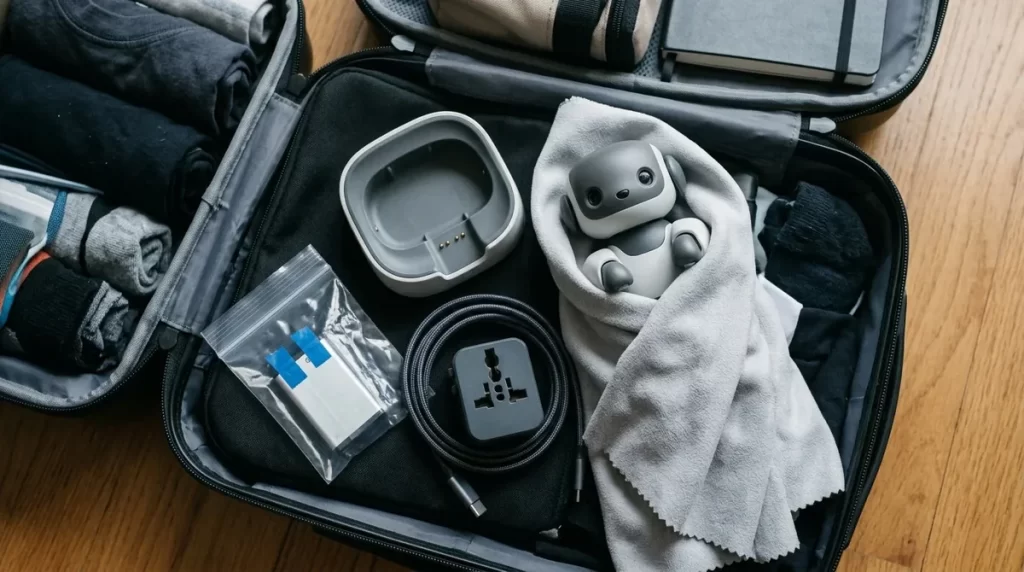
Use padding or the original box.
Protect moving parts, ears, legs and screens from pressure.
- 4
Protect spare batteries.
Keep them in their original packaging or tape over the terminals, one battery per bag.
- 5
Pack the charger and the right adapter.
Docks, wireless beds and USB-C cables are easy to forget, and plugs differ by country.
- 6
Expect a security check.
An unusual shape on the X-ray may lead to a bag search. Keep the robot easy to reach.
- 7
Check your airline.
Some carriers add rules about power banks or devices in the cabin.
At your destination
Connected robots may behave differently abroad. Apps can be region-locked, Wi-Fi in hotels often blocks device pairing, and some features depend on servers available only in certain countries. Before you travel, open the app and check whether it works with mobile data or a phone hotspot. Our setup guide explains how to reconnect a robot to a new network, and the troubleshooting guide covers what to try if it will not connect.
Frequently asked questions
Can I bring a robot pet in my carry-on?
Yes, if its lithium-ion battery is 100 Wh or less, which applies to every robot pet with a published rating that we checked. Confirm your airline’s rules.
Can a robot pet go in checked luggage?
US rules allow devices with installed batteries up to 100 Wh in checked bags if they are completely off and protected from damage. Spare batteries are never allowed in checked bags.
Do I need airline approval for my robot?
Only if a battery is rated between 101 and 160 Wh. Robot companions sold to consumers are far below that.
Are Joy for All pets affected by lithium battery rules?
No. They use C alkaline batteries, which are not lithium.
Sources and update policy
Rules summarized from the TSA’s guidance on lithium batteries and the FAA’s PackSafe guidance for passengers. Battery figures from KEYi Tech (Loona), Casio’s Moflin manual, Energize Lab and Sony’s aibo help guide, checked October 12, 2026.