
Consumer security playbook · Updated July 13, 2026
Secure the entire robot companion system—not just the robot
A connected companion is usually a product ecosystem: hardware, sensors, a phone app, household Wi-Fi, cloud services, family accounts and third-party integrations. This guide turns that attack surface into practical actions you can complete before purchase, during setup, every month and when something goes wrong.
6 attack surfacesDevice, app, account, network, cloud, people
Incident planContain first, preserve evidence
Start with the system
A robot companion has at least six security surfaces
Threat modeling does not require predicting a sophisticated hacker. It means identifying what can access private data or control important behavior, then reducing unnecessary paths.
Robot hardware
Cameras, microphones, speakers, storage, charging ports, debug interfaces, removable media and physical reset controls.
Risk: physical access, sensor misuse or data left on the device.
Owner account
Email, password, multifactor method, recovery codes, sessions, purchase history and administrative permissions.
Risk: credential reuse, phishing or weak account recovery.
Companion app
Phone permissions, notifications, stored media, Bluetooth, local network access and software supply chain.
Risk: excessive permissions or a compromised phone.
Home network
Router, Wi-Fi credentials, guest or IoT network, connected devices and internet exposure.
Risk: old router firmware, defaults or unnecessary reachability.
Vendor cloud
Voice processing, AI models, video calls, backups, analytics, support access and subcontractors.
Risk: breach, service shutdown, policy change or over-retention.
People and integrations
Family, caregivers, children, guests, technicians, smart-home services and shared credentials.
Risk: excessive access, mistaken sharing or access that is never revoked.
What can go wrong
Prioritize realistic failure paths
Account takeover
A reused password or phished recovery email can expose recordings, contacts, camera access, purchases or remote controls.
Control: unique password, MFA and session review.
Unwanted household access
A former caregiver, partner or family member keeps access after their role changes.
Control: individual accounts and prompt revocation.
Unpatched software
The robot, app or router misses security updates, or the manufacturer ends support.
Control: update inventory and an exit date.
Privacy overcollection
Optional voice history, face recognition, analytics or AI training stays enabled by default.
Control: minimum permissions and retention.
Unsafe integrations
A companion account gains access to cameras, door locks, purchases or home automation it does not need.
Control: least privilege and separate authorization.
Data left at retirement
A sold, returned or discarded robot remains linked to cloud accounts, media or household contacts.
Control: documented offboarding and cloud deletion.
Procurement is a security decision
Ten questions the vendor should answer before purchase
- 01
What is the exact product identity?
Model, hardware revision, app publisher, manufacturer and serial or other unique identifier should be clear.
- 02
How long will every component receive security updates?
Ask for an end date or minimum support period for the robot, mobile app and cloud service—not “updates may be provided.”
- 03
Are updates authenticated and automatic?
The product should accept software from authorized sources through a secure mechanism and make its current version visible.
- 04
Can all default credentials be changed?
Each product or owner should have unique credentials; shared factory passwords are a red flag.
- 05
Does the account support MFA or passkeys?
Prioritize strong authentication for owner, caregiver, support and administrative access.
- 06
Which data is stored locally and in the cloud?
Ask separately about raw audio, video, transcripts, face or voice templates, profiles, contacts, telemetry and inferred data.
- 07
Can optional sensors and sharing be disabled?
Camera, microphone, history, training, analytics and family access should have understandable controls and indicators.
- 08
Can owners review access and security events?
Look for active sessions, linked devices, permission changes, exports, support access and login notifications.
- 09
How are vulnerabilities reported and disclosed?
A public security contact, coordinated disclosure policy and incident-notification process show lifecycle support.
- 10
How do reset, account closure and deletion work?
Confirm whether deletion covers the robot, app, vendor cloud, backups and service providers, and what remains offline afterward.
The FCC’s voluntary IoT labeling program pairs a certification mark with a QR-linked product registry. If a robot displays the mark, scan the current registry entry and verify the exact model. A label can support comparison, but it does not guarantee privacy, lifetime support or immunity from future vulnerabilities.
Secure setup
The first 60 minutes with a connected robot
Inventory before connecting
- Photograph model, serial and packaging labels.
- Confirm official app publisher and support domain.
- Read camera, microphone and reset indicators.
- Check the product and charger for recalls.
Prepare the network
- Update the router and change default admin credentials.
- Use WPA2 or WPA3 encryption.
- Create a guest or IoT network when supported.
- Do not expose the robot through manual port forwarding.
Create the owner account
- Use a unique password generated by a password manager.
- Enable the strongest MFA option available.
- Store recovery codes away from the robot and phone.
- Protect the recovery email account with MFA too.
Update every component
- Install official robot firmware.
- Update the companion app and phone OS.
- Confirm displayed versions and automatic-update settings.
- Recheck privacy settings after a major update.
Reduce permissions
- Disable unused camera, microphone, history and integrations.
- Deny phone contacts, photos or location unless needed.
- Turn off voice purchases and unnecessary personalization.
- Use the shortest practical retention setting.
Test recovery and visibility
- Review sessions, linked devices and family access.
- Enable login and permission-change notifications.
- Locate mute, logout, unlink, reset and deletion controls.
- Write down the vendor incident-support route.
Network hardening
Protect the router that connects every device
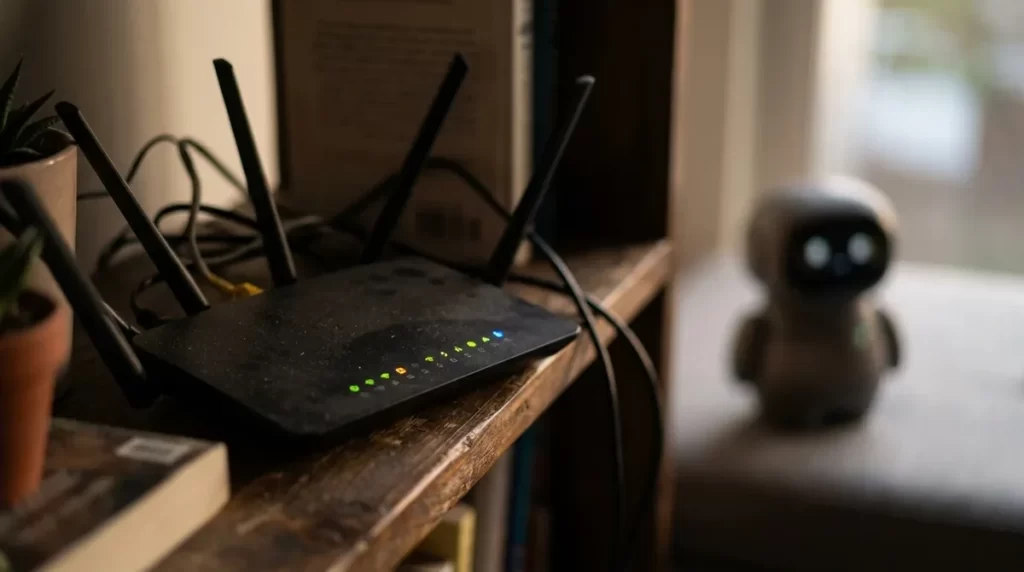
The FTC calls the router the key starting point for connected-home security. Its administrative account and firmware matter because a well-configured robot still depends on the network carrying its traffic.
Recommended
- Unique router admin password and non-identifying Wi-Fi name
- WPA2 or WPA3 encryption with a strong Wi-Fi password
- Current router firmware and automatic updates where reliable
- Separate guest or IoT network if your router supports isolation
- Periodic review of connected devices and unfamiliar clients
- Documented router model and support-end date
Avoid
- Default admin credentials or an open wireless network
- Sharing the owner Wi-Fi password with every visitor
- Unnecessary remote administration or exposed management pages
- Port forwarding based on an unofficial forum tutorial
- Ignoring a router that no longer receives security updates
- Assuming a guest network always isolates devices—test it
Reference: FTC guidance for securing connected devices at home.
Accounts and people
Do not solve sharing with one shared password
| Role | Typical access | Should not receive by default | Review trigger |
|---|---|---|---|
| Owner / primary user | Core settings, data choices and daily use | Hidden monitoring or access they cannot revoke | Every major update or policy change |
| Household administrator | Network, billing, updates and recovery | Private conversation history unless explicitly chosen | Change in household or support role |
| Family / caregiver | Specific calls, messages, reminders or selected alerts | Full admin, raw recordings or unrelated contacts | Care plan or consent changes |
| Guest / child | Temporary, bounded interaction | Purchases, account changes, history or external sharing | End of visit or supervised session |
| Vendor support | Time-limited access needed for a documented case | Permanent remote access or credentials sent by email | Immediately when the case closes |
Use separate named accounts or invitations whenever possible. Review active sessions monthly and remove access immediately after a move, breakup, caregiver change, lost phone, employee departure or support case. Protecting the recovery email is as important as protecting the robot account.
Data minimization
Build a robot companion privacy map
What enters?
Audio, video, photos, faces, voices, touch, motion, location, contacts, routines, health statements and app activity.
Where is it analyzed?
On the robot, phone, vendor cloud, AI provider or support system. “Processed” does not necessarily mean stored.
What persists?
Recordings, transcripts, embeddings, preferences, profiles, logs, backups and de-identified analytics may have different retention.
Who receives it?
Household contacts, caregivers, analytics firms, cloud hosts, model providers, support staff and legal recipients.
What can you change?
Sensor state, history, personalization, AI training, marketing, family access, app permissions and retention.
What actually disappears?
Device data, cloud records, backups, linked apps and downstream copies may require separate steps and different timelines.
Read the current privacy policy for the exact product and country. Search for the data categories above instead of relying on a statement such as “we value your privacy.” If the answer is unclear, ask the vendor in writing before enabling the feature.
Camera
- Know when it is active and whether a physical shutter exists.
- Place the robot away from bathrooms, bedrooms and sensitive documents.
- Disable remote viewing unless it is a chosen, necessary use.
Microphone
- Test the mute control and indicator.
- Understand wake-word buffering versus uploaded audio.
- Delete voice history and turn off human review if offered.
Face and voice recognition
- Confirm whether templates stay local or reach the cloud.
- Enroll only people who understand and agree.
- Remove profiles when a person leaves the household.
Generative AI
- Check whether prompts or responses train models.
- Avoid secrets, passwords, financial data and medical identifiers.
- Assume outputs may be logged unless policy proves otherwise.
For consent, emotional influence, vulnerable users and legal context, continue with our distinct robot companion ethics guide. Families should also use the dedicated children’s safety guide or senior buying guide where appropriate.
App and integration security
The phone and smart home can expand the blast radius
- Install only from the official store listing linked by the vendor.
- Keep the phone locked, encrypted and updated.
- Review camera, microphone, contacts, photos, location and local-network permissions.
- Do not sideload an “unlock,” beta or modified app from an untrusted source.
- Connect only the devices needed for a defined feature.
- Keep door locks, alarms, cameras and purchases behind separate confirmation.
- Review OAuth or linked-service access from both accounts.
- Revoke tokens when the integration is no longer used.
- Do not follow unsolicited reset, payment or “security update” links.
- Open the official app or type the known support domain yourself.
- Never send passwords, MFA codes or full recovery codes to support.
- Verify a request before allowing remote access.
Ongoing security
A 15-minute monthly review
Track the model, serial, firmware, app version, router network, owner account, recovery method, support-end date and last review in one household inventory. NIST identifies product and component visibility as foundational for updates, data protection and incident response.
When something looks wrong
Robot companion incident response
Possible warning signs
- 1
Protect people and physical safety.
Stop movement or remote features if necessary. Keep emergency, medical and home-security functions available through independent systems.
- 2
Disconnect the robot from the network.
Use the documented offline or power-down method. Do not destroy data or open hardware.
- 3
Document before resetting.
Photograph indicators and settings; record times, messages, transactions, sessions, app version, firmware and router observations.
- 4
Use a trusted device.
From a clean phone or computer, secure the recovery email first, then change the robot-account password and enable or reset MFA.
- 5
Revoke access.
Sign out other sessions, remove unknown devices and contacts, revoke support access and disconnect linked services.
- 6
Secure the network.
Change compromised router or Wi-Fi credentials, update firmware and review every connected device.
- 7
Contact the vendor through a verified route.
Provide the timeline and identifiers without sending passwords or one-time codes. Ask whether a broader incident exists.
- 8
Protect financial and identity accounts.
Dispute unauthorized purchases and follow bank, card, identity-theft or law-enforcement guidance appropriate to the loss.
- 9
Reset only after evidence and backups.
Follow the official factory-reset sequence; do not assume it deletes cloud data or fixes a compromised account.
- 10
Review the root cause before reconnecting.
Update, reconfigure with minimum privileges and replace unsupported hardware if the risk cannot be controlled.
Retirement and transfer
Seven steps before return, resale or recycling
ExportSave permitted media, receipts and logs you need.
Remove peopleDelete face, voice, child, caregiver and guest profiles.
UnlinkDisconnect smart-home, cloud, payment and communication services.
RevokeSign out sessions and remove the robot from every owner and family account.
ResetUse the manufacturer procedure and remove user-accessible SIM or memory cards.
Delete cloud dataSubmit the separate account or privacy request and retain confirmation.
VerifyConfirm the robot starts at onboarding and no longer appears in apps or integrations.
A factory reset and cloud deletion are not necessarily the same action. The FTC advises removing administrative access and personal information before transferring smart devices, then resetting them so the next owner can create independent credentials.
Printable review
25-step robot companion security checklist
Common questions
Robot companion security and privacy FAQ
Can a robot companion be hacked?
Any connected product can have vulnerabilities. Practical risk depends on the device, app, cloud service, account security, network, integrations, vendor support and attacker motivation. Reduce exposure with unique credentials, MFA, updates and minimum permissions.
Should a robot companion use a separate Wi-Fi network?
A guest or IoT network can reduce access to personal computers and storage when the router provides real client or network isolation. It is a useful layer, not a substitute for updates and secure accounts. Test what the network actually isolates.
Does encryption mean the vendor cannot read my data?
No. Encryption in transit or at rest protects particular data states. A service may still decrypt information to provide features, permit authorized support access or share it under policy and law. Ask whether any feature uses end-to-end encryption and what that term covers.
Is local processing always private?
Local processing can reduce cloud exposure, but the app, backups, analytics, update service or linked accounts may still transmit information. Review the full product system and actual data flows.
Should automatic updates be enabled?
Usually, timely authenticated updates reduce risk. Confirm the vendor’s official mechanism, keep stable power and connectivity, and review significant feature or privacy changes after installation.
Is a factory reset enough before selling the robot?
Not always. Export needed data, unlink integrations, remove people and sessions, run the official reset, close or transfer the account correctly, request cloud deletion and verify the product no longer appears in your apps.
Bottom line
Security is a household routine and a vendor commitment
Your strongest controls are straightforward: buy a supportable product, secure the router and recovery email, use a unique password plus MFA, install updates, minimize sensors and sharing, give each person only the access they need and maintain an incident and exit plan.
You cannot compensate indefinitely for a vendor that hides support dates, lacks secure updates or makes deletion impossible. When a connected robot no longer receives security support, isolate it, disable cloud features or retire it according to the risk and what remains functional offline.