
Buying guide · Checked October 12, 2026
With a used robot, you buy the hardware and inherit its account problems
Sony’s own aibo help guide warns that handing an aibo to someone else without initializing it may let the new owner see the previous owner’s data, and that resetting it erases its memories permanently. It also states that the basic plan and aibo Support Care rights are not transferable. Those two facts sum up the used market for connected robots: the body changes hands easily, but accounts, plans and memories often do not.
What transfers with a used robot, and what does not
| Item | Usually transfers? | Example |
|---|---|---|
| Hardware | Yes | Robot, dock, charger |
| Account link | No; the seller must remove it | aibo is reset in the My aibo app, then added to the buyer’s Sony account with its 12-digit product key |
| Paid cloud plan | Often no | Sony states aibo’s basic plan and Support Care are not transferable |
| Learned personality and memories | No, if reset correctly | aibo initialization clears all memories and learned behavior |
| Content subscription | No | Miko Max belongs to the parent account that bought it |
| Manufacturer warranty | Check terms | Some warranties apply to the original purchaser or start date |
Robots you should not buy used
- Leased devices. ElliQ is provided through a membership and the device must be returned when the membership ends. A listing for a “used ElliQ” may be selling something the seller does not own.
- Robots still linked to someone else’s account. If the seller cannot remove it, you may never be able to set it up.
- Robots whose service has ended. If the app or cloud service is discontinued, a connected robot may lose most functions.
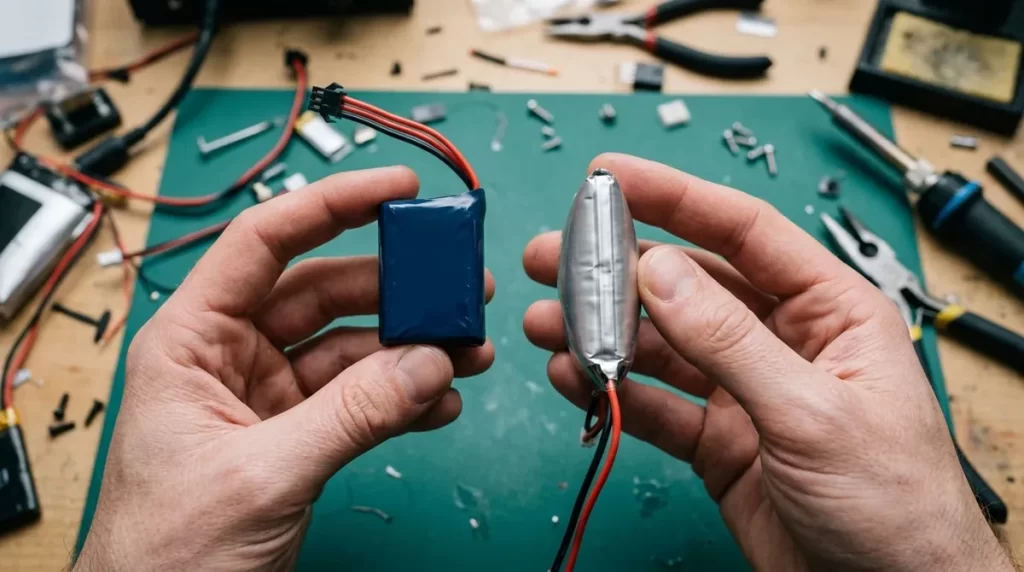
- Units with swollen or damaged batteries. They are a fire risk and cannot legally travel by air.
12 checks before you pay
- 1
Exact model and region.
Some robots are region-specific; a Japanese LOVOT or aibo may not work with your country’s app store or service.
- 2
Proof of reset.
Ask the seller to reset the robot through the official app while you watch, or on a video call.
- 3
Account removal.
Confirm it no longer appears in the seller’s app.
- 4
Your plan cost.
Price the plan you will need as a new owner, such as aibo’s cloud plan or Miko Max.
- 5
App still supported.
Check that the companion app is downloadable and updated in your region.
- 6
Battery condition.
Look for swelling, heat and short run time. See the next section.
- 7
Moving parts.
Run every joint, wheel and servo; listen for grinding or clicking.
- 8
Sensors.
Test touch areas, camera, microphones and charging contacts.
- 9
Original accessories.
Docks and chargers can cost $99 or more to replace, as LivingAI’s Home Station does.
- 10
Fur and hygiene.
Fur-covered robots cannot be soaked; check for stains and odors, and clean per the manufacturer’s method.
- 11
Receipt and serial number.
Useful for warranty claims and for checking the item is not stolen.
- 12
Payment protection.
Use a platform that offers buyer protection; avoid direct transfers for expensive robots.
Battery health
Built-in lithium batteries are usually the first part to wear out. Ask the seller how long the robot runs on a full charge and compare it with the official figure: about 2 hours for aibo in standard mode, about 5 hours for Moflin, about 1.5 hours for Eilik. A robot that runs half as long will need a battery service sooner. For Joy for All pets, open the battery compartment and check for corrosion from old alkaline cells.
Our maintenance guide and troubleshooting guide cover battery and charging problems in more detail.
Is the discount worth it?
For inexpensive offline robots, a new unit with a warranty is often the better deal: Eilik costs $139.99 new and a Joy for All cat $159.99. The used market makes more sense for expensive robots, but those are exactly the ones with the most account and plan complications. Add the plan you must buy, any missing accessories and a likely battery service to the asking price, then compare with new. Our cost calculator helps with the math.
If you are the seller
- Back up anything you want to keep, then reset the robot through the official app.
- Remove it from your account and cancel or check the status of any plan.
- For aibo, contact Sony support if your cloud plan has not expired; the help guide asks owners to do so.
- Include all chargers and docks, and describe the battery’s actual run time honestly.
Frequently asked questions
Can I buy a used aibo?
Yes, if the seller initializes it and removes it from their account. You then add it to your own Sony account with the product key and need your own cloud plan, as Sony says plans do not transfer.
Does a used robot keep its personality?
Not if it has been reset properly. For aibo, initialization clears memories and learned behavior permanently.
Can I buy a second-hand ElliQ?
ElliQ is leased through a membership and the device is returned when it ends, so a private sale is a red flag.
What is the biggest risk with a used robot pet?
A robot that stays locked to the previous owner’s account, followed by a worn battery.
Sources and update policy
Sony aibo help guide: transferring aibo; battery figures from Sony, Casio and Energize Lab official documentation; prices from official stores; all checked October 12, 2026.